File Share is a Wix app that allows site owners to organize, share, and control access to their content, supporting a wide range of use cases, from businesses to educational organizations. As users increasingly looked for ways to monetize their content, we identified an opportunity to integrate File Share with Wix Pricing Plans, a service for selling memberships and paid access.
As the Product Designer, I was responsible for designing the integration experience, making monetization easier to discover and set up while simplifying complex permissions and maintaining a seamless workflow across both products.
An educational organization
An ADHD coach
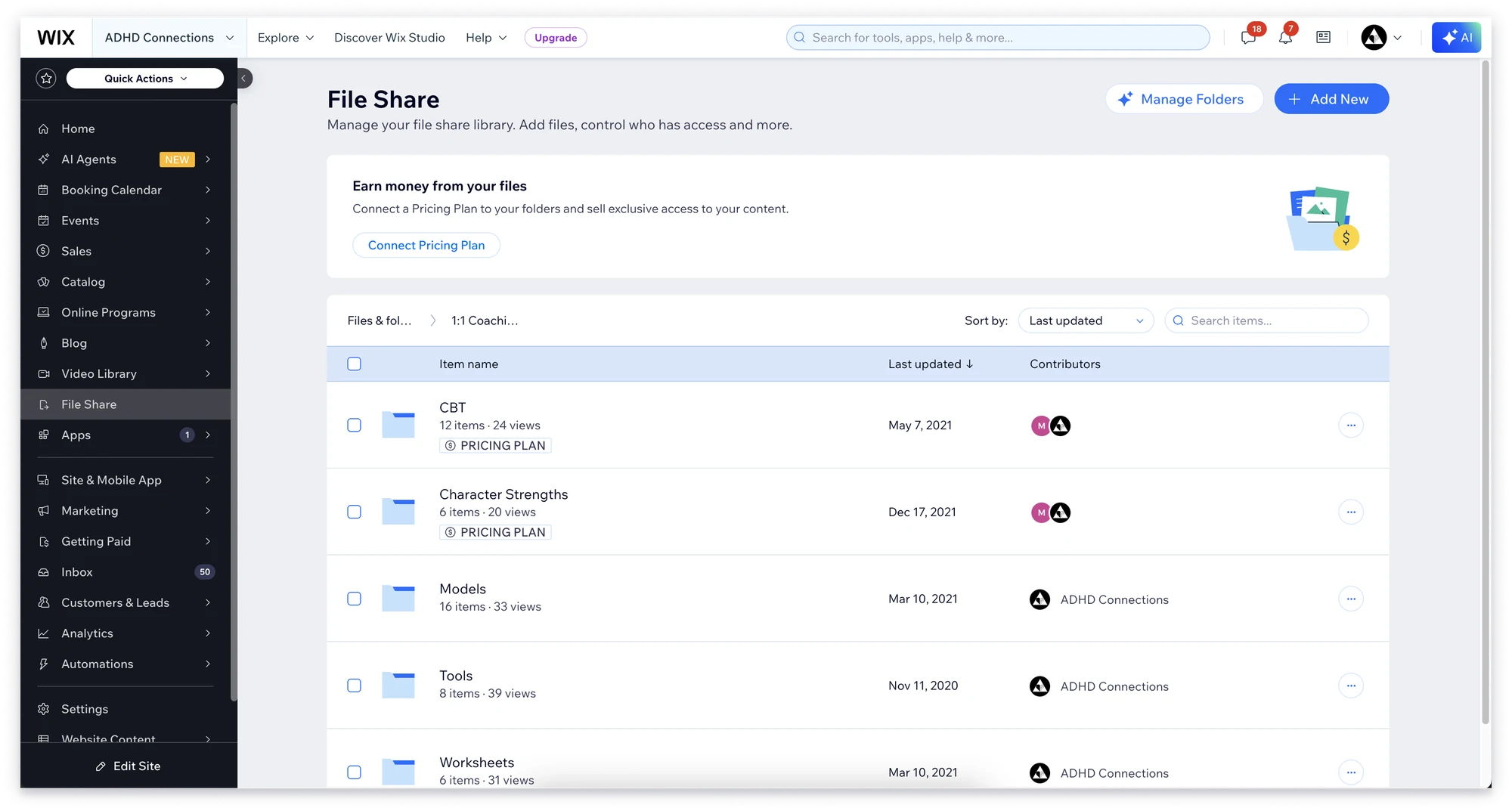
The Challenge
Creators wanted to earn from content they had already created, but didn’t know File Share could connect to Pricing Plans.
From user conversations
I started by sharing files for free, but as my audience grew, I needed a way to turn that content into a revenue stream.
Some folders should be public, some private for collaborators, and some available only to paying members. I need a simple way to understand who can access what.
I already use Pricing Plans for my services, but I didn’t realize I could connect them to File Share. If I had known, it would have saved me a lot of manual work.
Make monetization a natural extension of File Share: discovered at the right moments and completed without leaving the workflow, whether or not users already had Pricing Plans.
UX Challenges
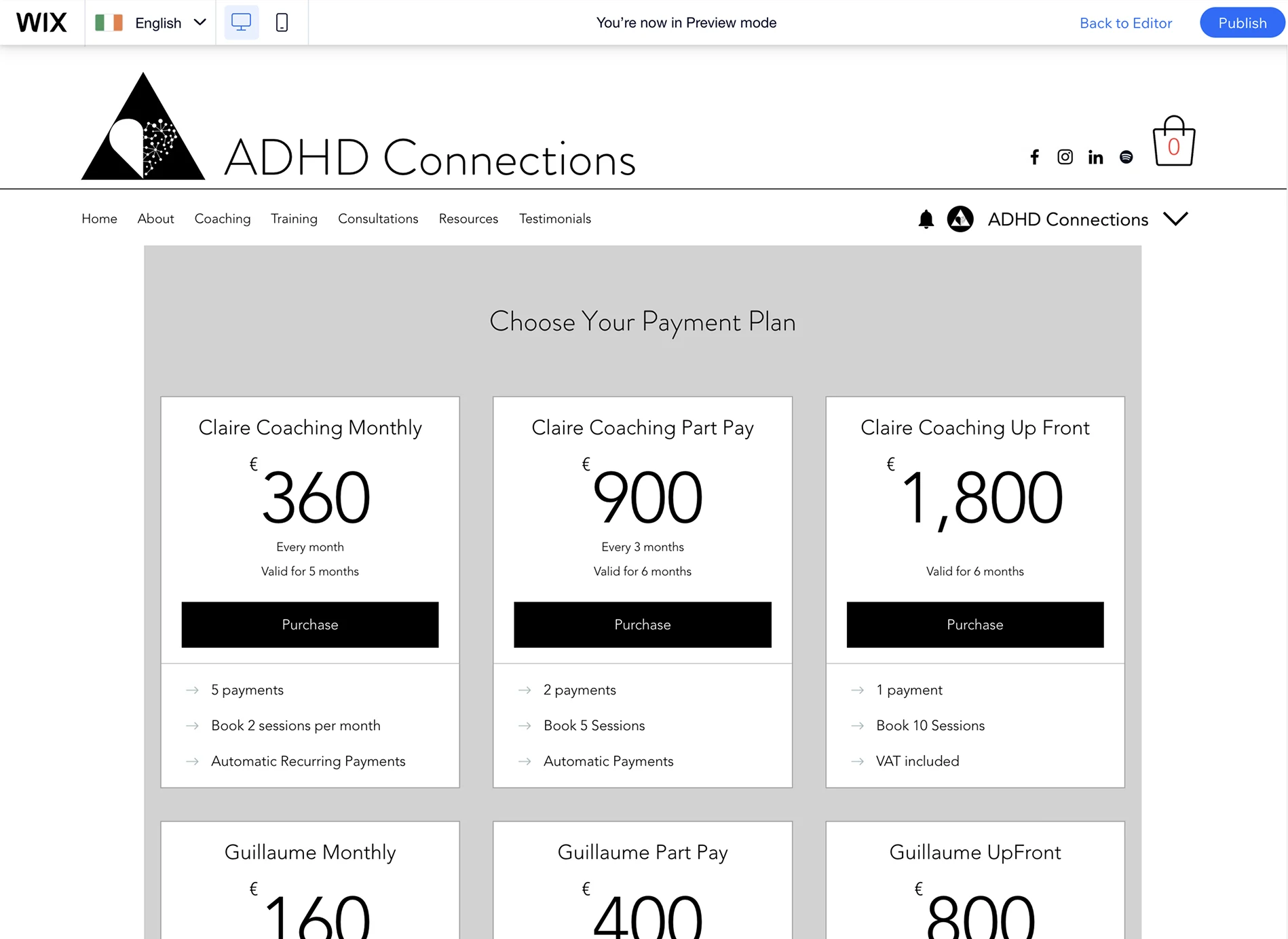
Connecting two independent products, without making users feel they left their workflow.
Two separate products
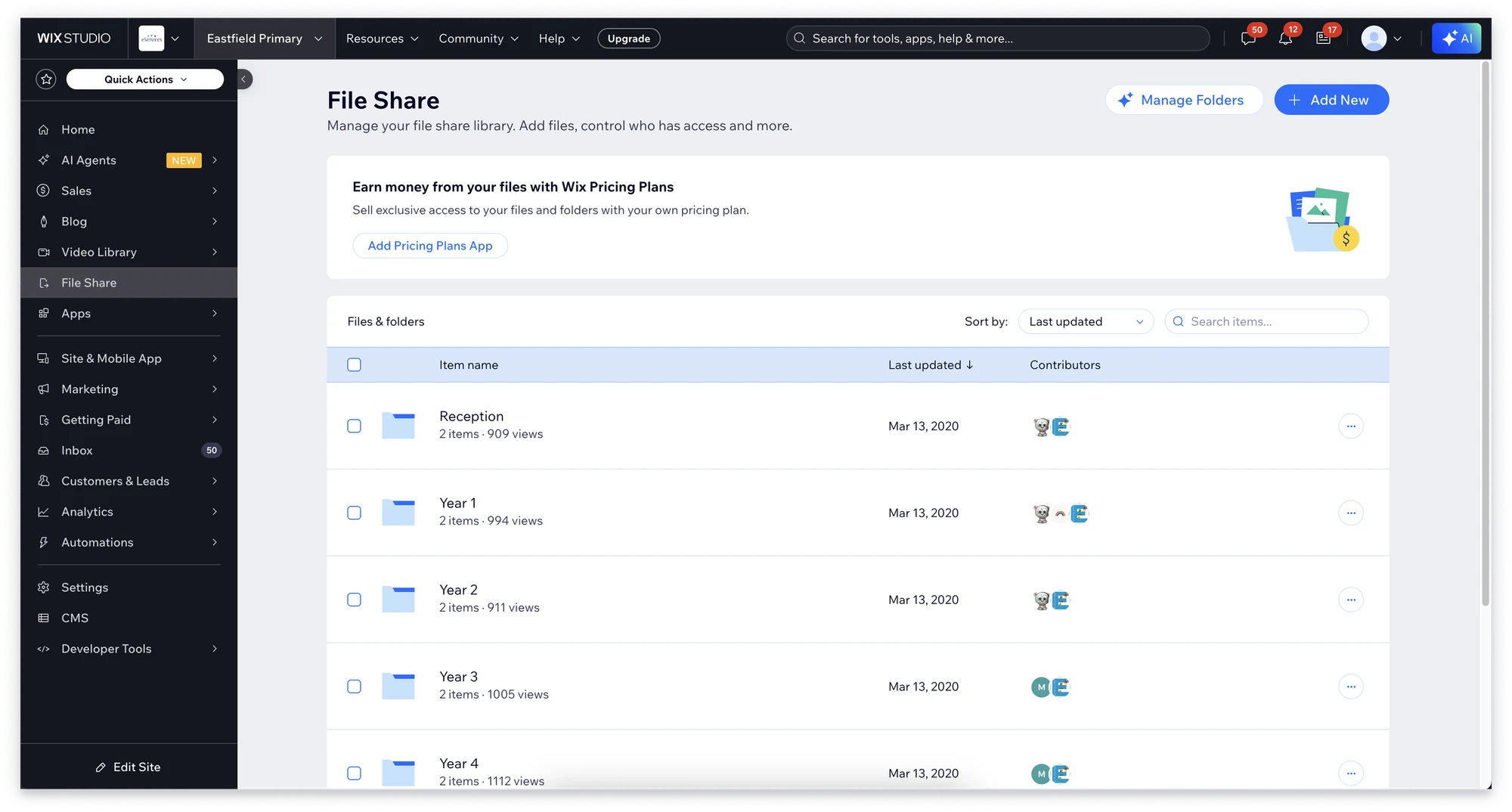
Pricing Plans was an independent service page (shown here), with its own setup and logic.
Different starting points
Some users already had Pricing Plans set up, others had never used it. One consistent flow had to serve both.
Staying in context
When users needed a new plan, setup had to bring them back to File Share, exactly where they left off.
Overlapping permissions
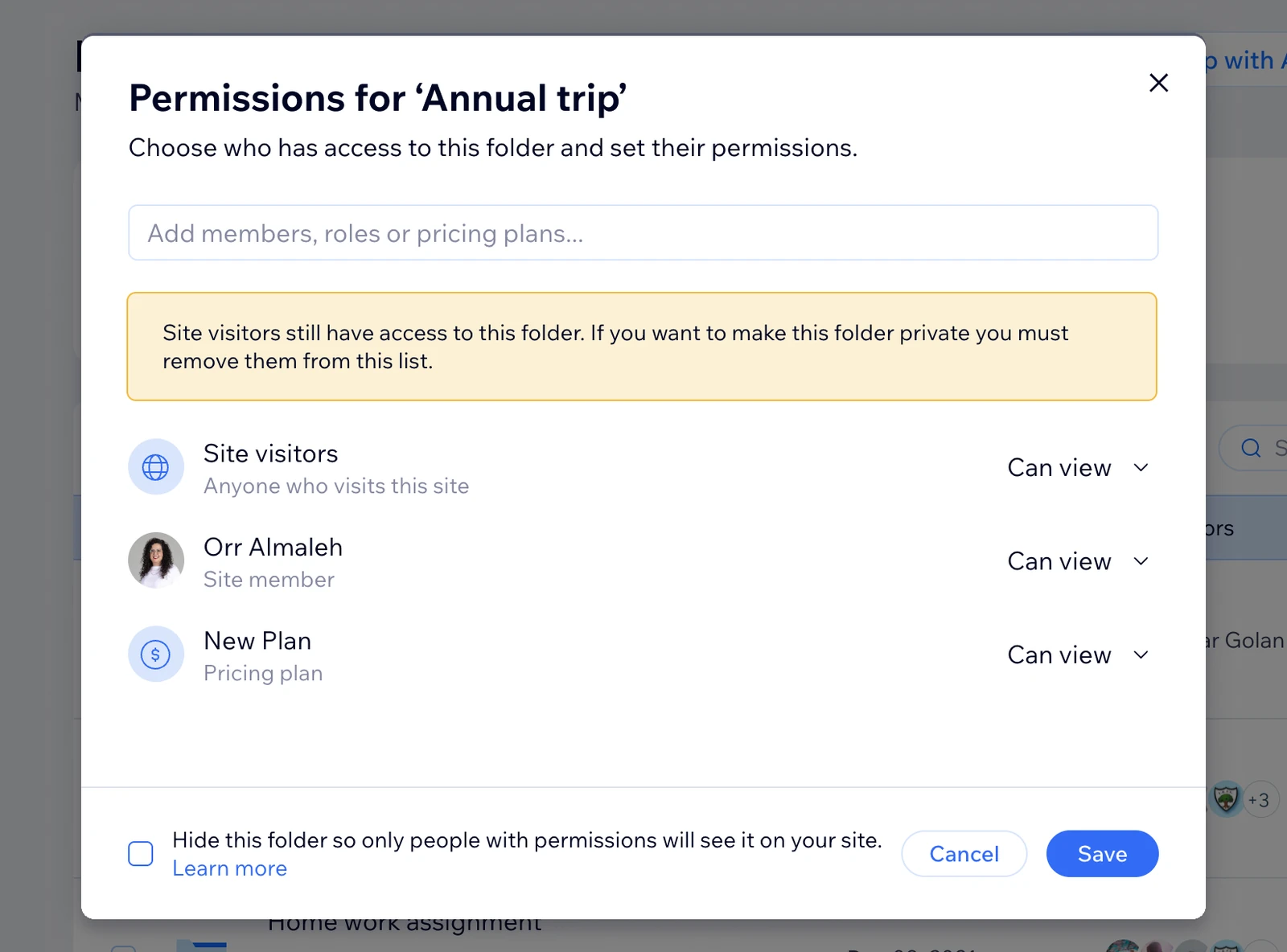
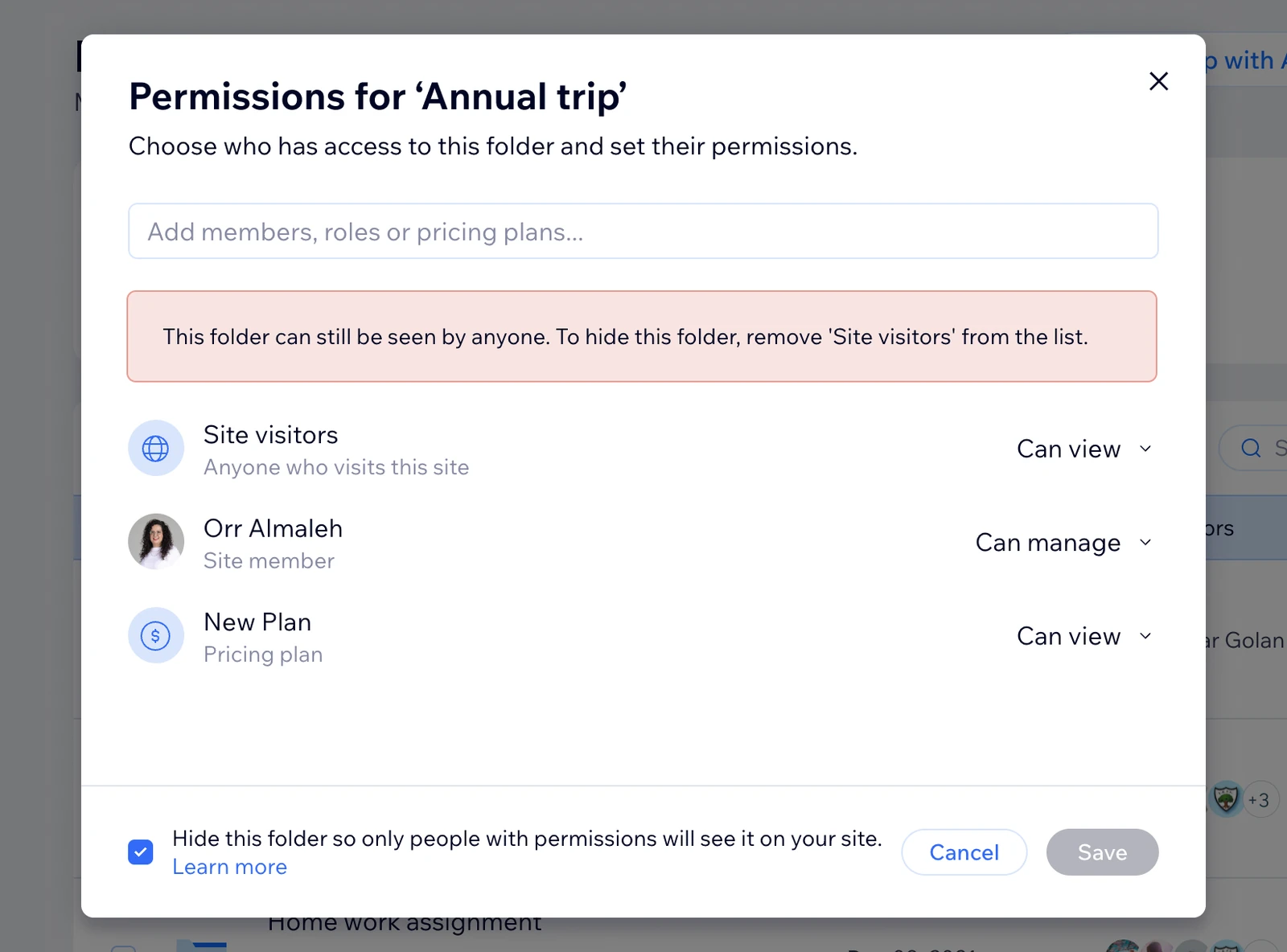
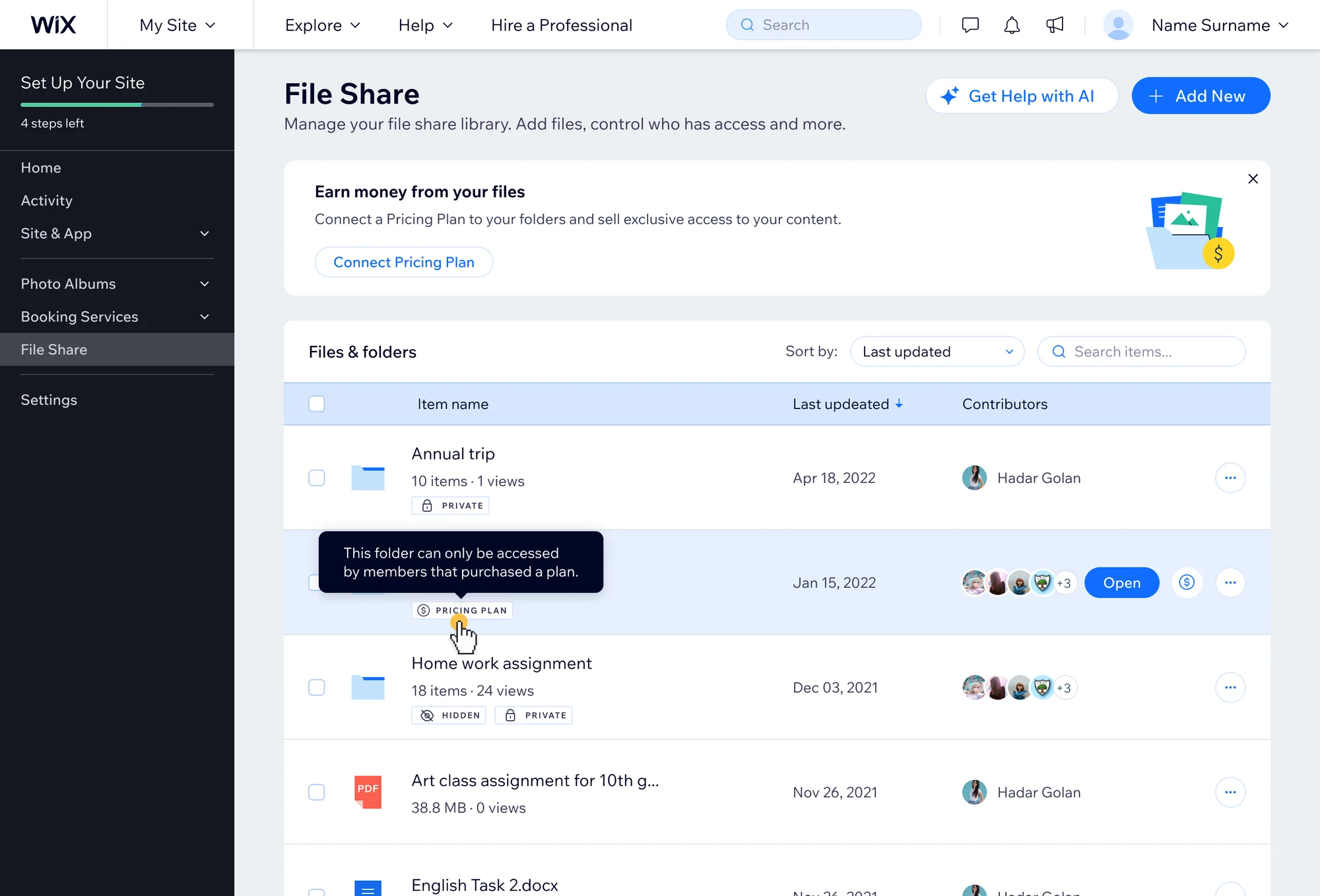
Folders could already be public, private or hidden, and paid access could overlap with each. Users needed to understand how the rules combine (see the table below).
8 permission levels, 5 criteriaSwipe to compare
| Permission level | Hidden | Pricing Plan | Private | Who can access the folder? | UX complexity |
|---|---|---|---|---|---|
| Public | No | No | No | Anyone visiting the site | Default access state |
| Hidden | Yes | No | No | Only users who were explicitly granted access | The folder is removed from site navigation and discovery |
| Pricing Plan | No | Yes | No | Users who purchased the associated plan | Users must understand that access is now tied to a paid subscription |
| Private | No | No | Yes | Specific site members or member groups | Access is restricted to selected users only |
| Hidden + Pricing Plan | Yes | Yes | No | Subscribers who purchased the plan | Combines monetization with restricted discoverability |
| Hidden + Private | Yes | No | Yes | Specific members who were granted access | Users need to understand why the folder is invisible to everyone else |
| Private + Pricing Plan | No | Yes | Yes | Selected members who also meet the pricing plan requirements | Multiple access conditions apply simultaneously |
| Private + Pricing Plan + Hidden | Yes | Yes | Yes | Only specific members who purchased the required plan | The most complex scenario, combining visibility, membership, and payment logic |
Flagged, not blocked
Blocked until fixed
The Design Process
Two kinds of entry points: for users still exploring, and for users ready to act.
- A contextual banner that adapts to the user’s setup: connect a plan if Pricing Plans is installed (A), or add the app first (B).
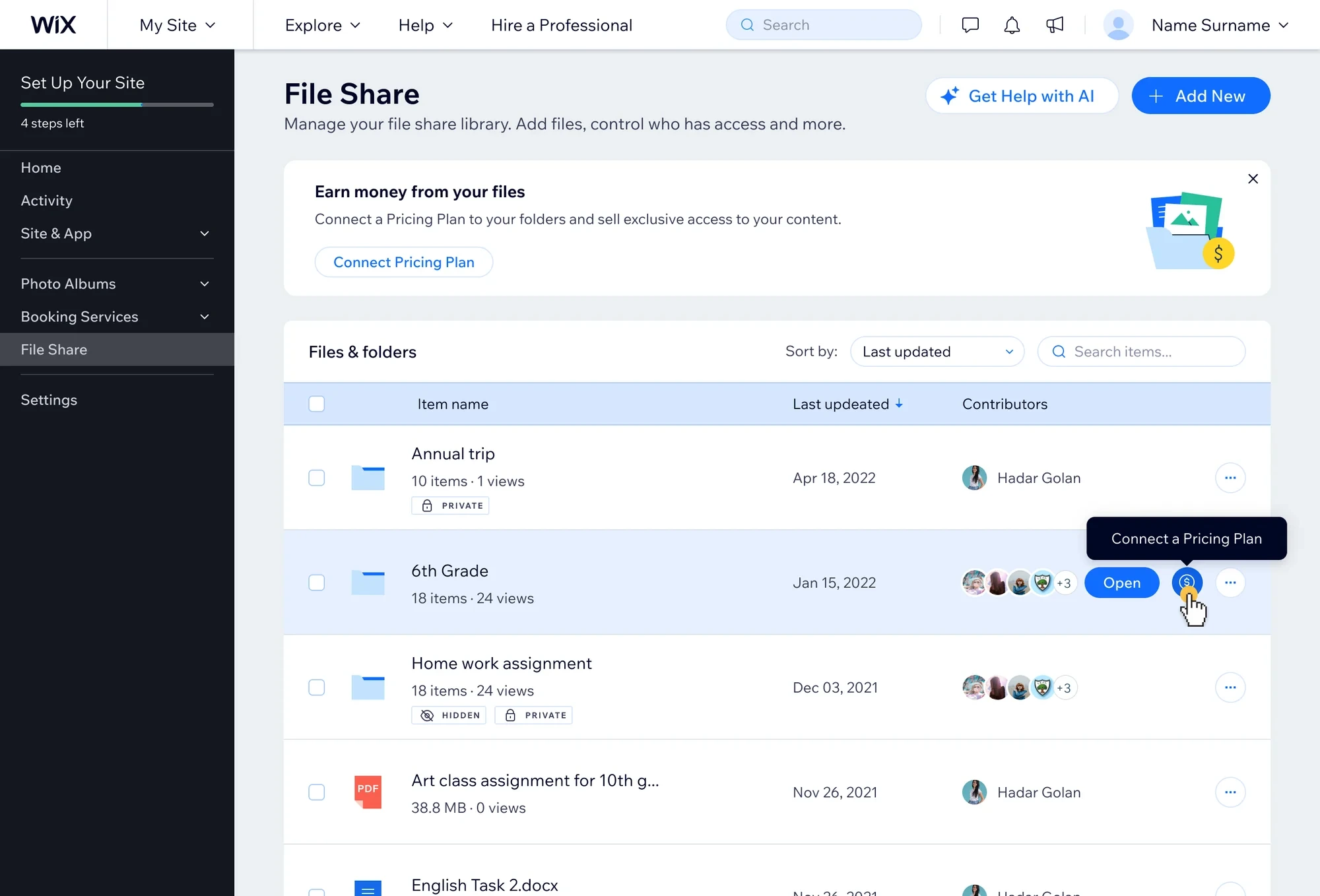
- A direct action on each folder row, for users with a clear intention (C).
A · Pricing Plans installed

B · Pricing Plans not installed

C · Action on a folder row

The Solution
Monetization became part of the File Share workflow, not a separate configuration task.
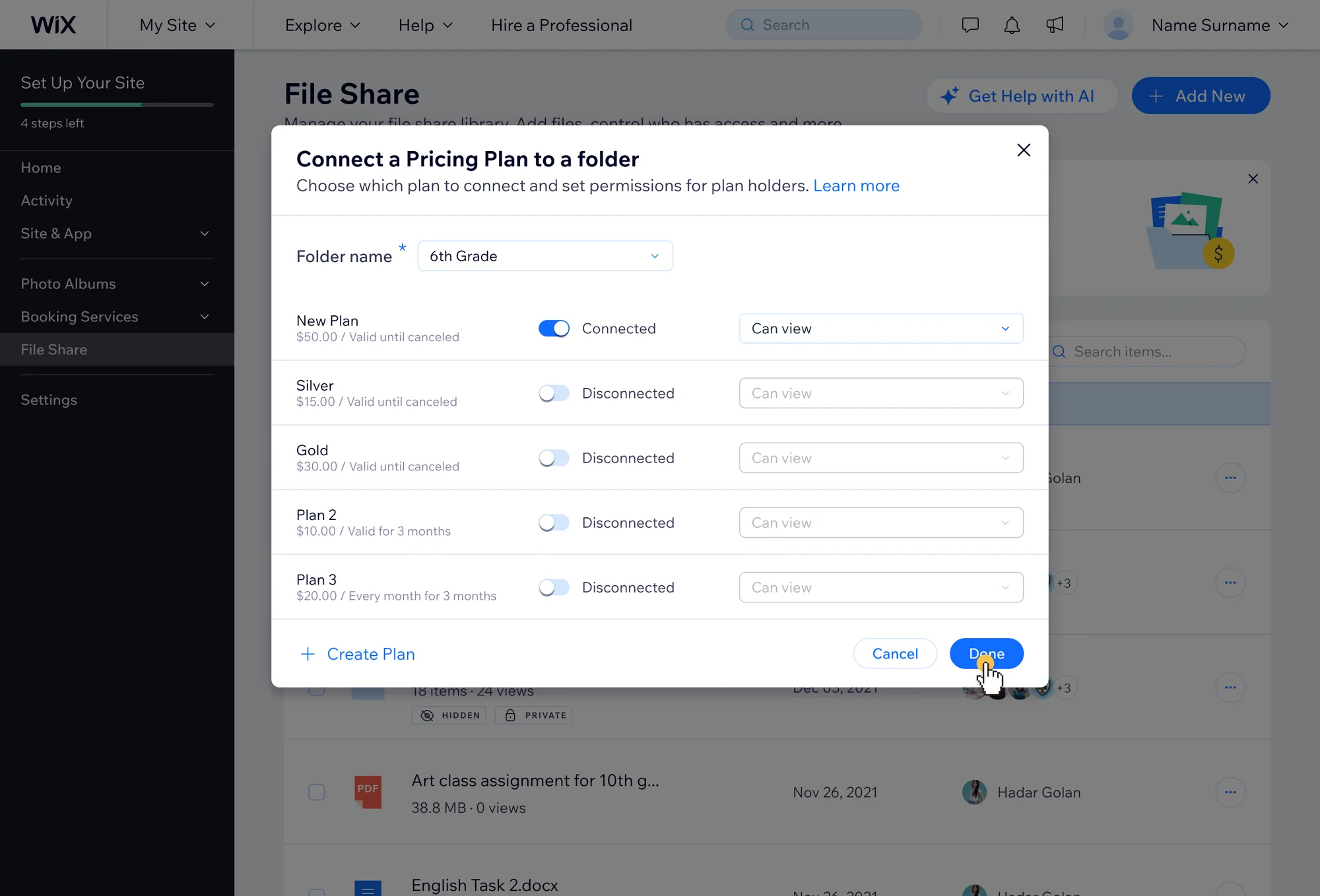
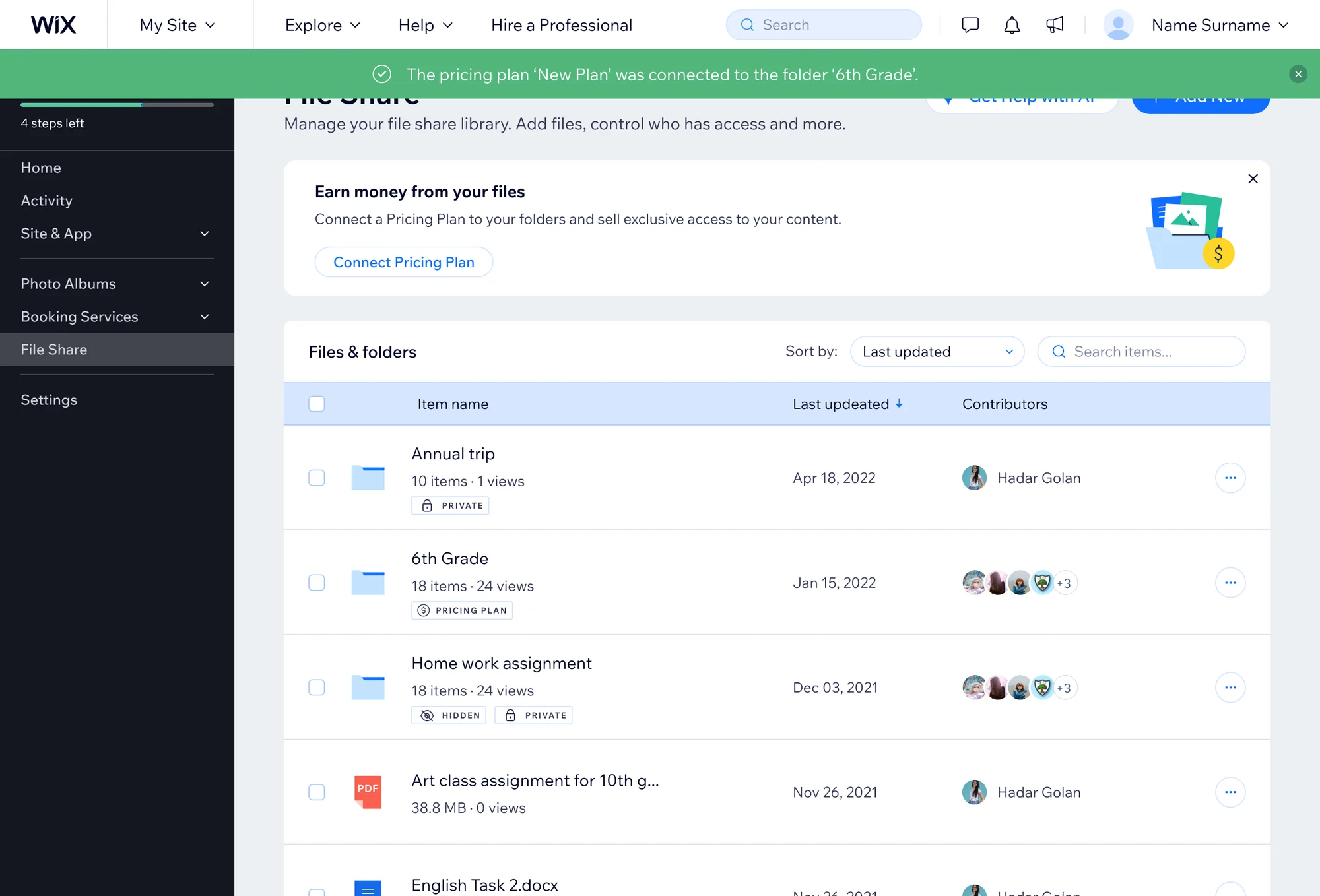
The table stays the core workspace. The banner’s call to action and the dollar icon on row hover both open the same modal, where users pick a plan and set permissions without leaving File Share, using familiar product patterns.
Project Impact
After launch:
- 24% of active File Share users discovered the monetization option.
- 62% of users who started connecting a folder to a plan completed the flow.
- 9% of active site owners using File Share connected at least one folder to Pricing Plans.
With no analyst on the team at the time, I also relied on FullStory recordings and user conversations. They confirmed the problem was real: many users hadn’t known they could monetize existing content, and the new entry points surfaced it.
Not everyone who started the flow completed it. Were they still evaluating, or did the flow itself create friction? The next step would be to find where users leave, and why.